
WebCashFlow: Start Free Trial
Introduction
Registration is easy. You only need a valid email address; no card details are required and there is no commitment.
You will automatically be granted a 7-day free trial of the app, with full access to all features. Should you wish to upgrade during or after the trial period the data entered during the trial can be carried over to a full subscription - no data will be lost.
Start Free Trial
- Click Start Free Trial or select Sign in at the top right of the home page.
- When the Sign in form opens, click No account? Create one.
- Enter your email address and click Next
- A message will be displayed saying that a verification code has been sent to your email address.
- Open the email and copy the Verification code
- Return to the Sign in form and paste in the verification code and click Next
- Enter a password
- Re-enter the password
- Enter your name as you would like displayed in WebCashFlow
- Click Next
- Click Accept to the 'Permissions requested' question.
- You will be returned to WebCashFlow where there will be a greeting showing your name and trial expiry date. A Sign Out option is displayed in the top right of the page.
For the duration of your free trial when you sign in you will be greeted with the following page:
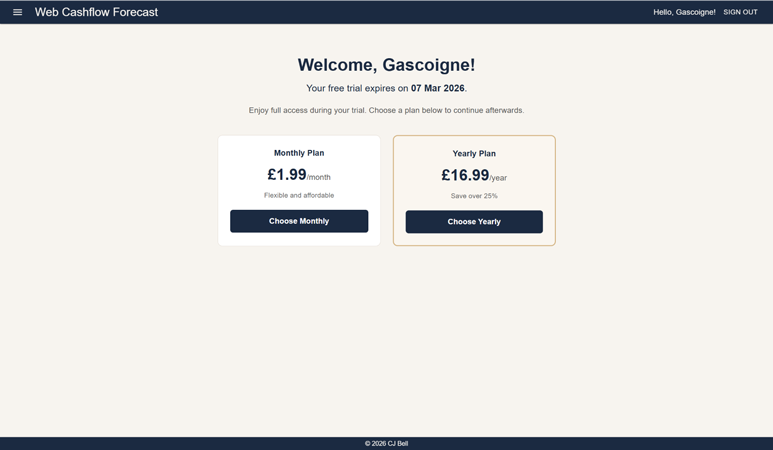
The welcome page shows your 'display' name and the expiry date of your free trial. There are two panels showing the subscription options should you want to subscribe before your trial ends.
To watch a video on how to create your account click here: Start Free Trial
Next
To start using the application, please see The Basics